Estimated reading time: 5 minutes
Securing your home network doesn’t just protect your devices—it protects your peace of mind. As our homes become smarter and more connected, the risks grow too. But don’t worry! I’m here to guide you through some simple, effective steps to keep your Wi-Fi fortress secure and your personal data safe from prying eyes.
What You’ll Learn
- The dangers of leaving your network unsecured.
- How to create a strong defense, from passwords to firewalls.
- Easy tips to protect your data without spending a fortune.
- Advanced strategies to take your security to the next level.
Why Home Network Security Matters
Think of your Wi-Fi as the front door to your digital home. Would you leave it unlocked? An unsecured network invites hackers to steal personal information, install malware, or worse—use your system to commit crimes.
A compromised network is more than a tech problem; it’s a personal one. Protecting your home network ensures your gadgets, from baby monitors to smart TVs, are safe and sound.
My Top Tips to Protect Your Home Network
1. Change Default Router Settings
Out of the box, routers come with a default username and password. Guess what? Hackers know them too. The first thing I recommend is changing both to something unique and strong.
Use a combination of letters, numbers, and symbols. Avoid predictable choices like “password123” or “admin.” A strong password is your first line of defense.
2. Enable Network Encryption
Encryption scrambles your data, making it useless to anyone trying to intercept it. Ensure your router is set to use WPA3 or WPA2 encryption. Check your settings, and if your router doesn’t support these, it might be time for an upgrade. Think of this as turning your conversation into a private language only you and your devices understand.
3. Use a VPN
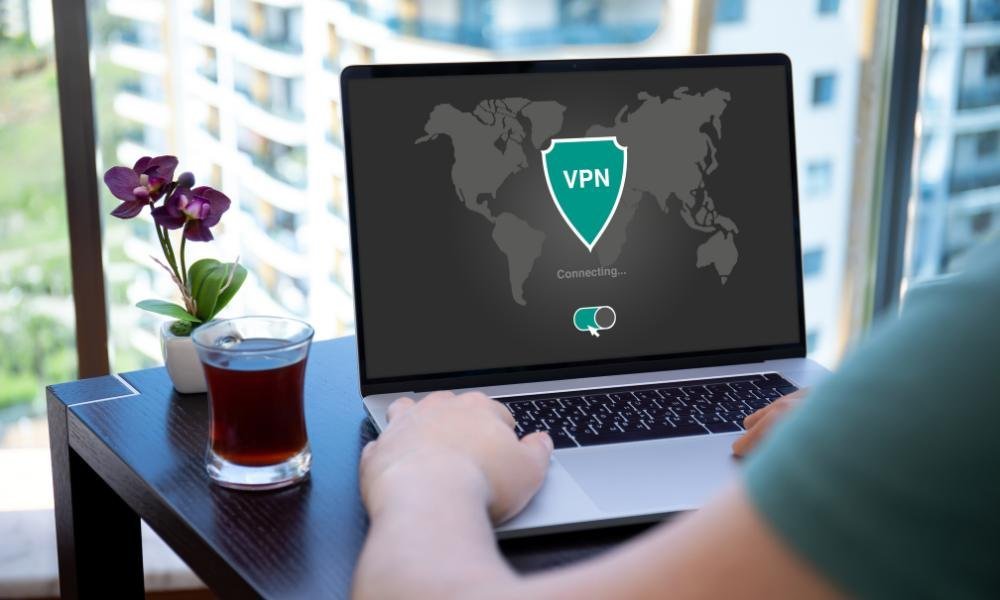
A Virtual Private Network (VPN) is like a secret tunnel for your internet traffic. It hides your location, encrypts your data, and keeps your online activities private. I use a VPN for everything from banking to streaming—it’s a small investment for big peace of mind.
4. Hide Your Network Name
When you set up your router, you’ll be asked to create a network name (SSID). Don’t stick with the default name like “Linksys123.” Hackers can guess your router type from this and exploit its vulnerabilities. Better yet, hide your SSID so it doesn’t show up in searches. Out of sight, out of mind!
5. Keep Your Router Firmware Updated
Your router’s software, called firmware, is like its brain. Manufacturers release updates to fix security gaps and bugs. Set a reminder to check for updates regularly. If your router doesn’t support auto-updates, log into the admin panel and update manually. It’s a small effort for big results.

Easy Fixes You Might Overlook
6. Turn Off Wi-Fi When Not in Use
This one’s almost too simple: if you’re not home, turn off your Wi-Fi. No network, no risk. Besides, it saves electricity—bonus!
7. Use Firewalls
Most routers come with a built-in firewall, but it might be turned off. Check your settings to ensure it’s enabled. A firewall acts like a bouncer, blocking uninvited guests from accessing your network.
8. Place the Router Strategically
Believe it or not, where you place your router matters. Keep it central in your home, away from windows or doors, to minimize the range of the Wi-Fi signal outside your walls. It’s like keeping your valuables where they’re least visible.
Advanced Security Strategies
9. Enable MAC Address Filtering
Every device has a unique identifier called a MAC address. By enabling MAC address filtering, you can limit your network to specific, approved devices. It’s a bit tedious to set up, but it adds a robust layer of security.
10. Disable Remote Administration
Routers often allow remote access, but unless you need it, turn it off. This prevents outsiders from making changes to your network settings. It’s an easy adjustment in your router’s admin settings.
11. Separate IoT Devices
Got smart bulbs, cameras, or a fridge connected to Wi-Fi? Create a guest network for these devices. That way, even if one device gets hacked, your main network stays safe.
What to Avoid
- Ignoring Updates: Delaying router updates is like leaving your doors unlocked. Don’t procrastinate.
- Reusing Passwords: Each network needs a unique password. Trust me, the extra effort is worth it.
- Sharing Wi-Fi with Neighbors: It might seem harmless, but it opens your network to unnecessary risks.
Final Thoughts
Protecting your home network isn’t rocket science. With these simple steps, you can transform your Wi-Fi from a potential weak spot into a fortress. Start with the basics—strong passwords, encryption, and firmware updates—and work your way up to advanced strategies like VPNs and MAC filtering.
Security is a journey, not a destination. Every step you take makes your home smarter, safer, and more secure. Now, go ahead—lock that digital front door and enjoy the peace of mind you deserve.