
Estimated reading time: 5 minutes
Under Desk Keyboard Tray – Space-Saving Ergonomic Solution for Better Desk Organization
PRODUCT DESCRIPTION
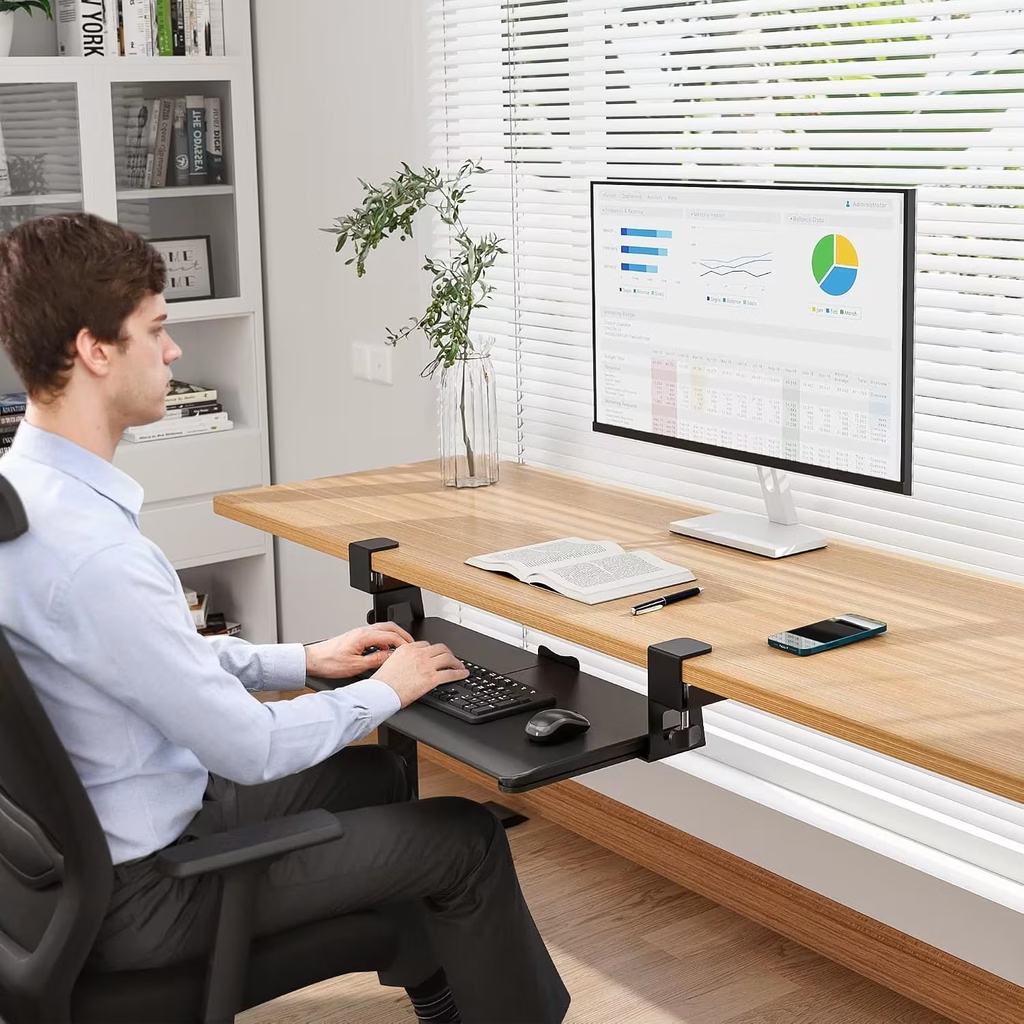
If your desk feels cramped and crowded, you’re not alone. Most of us pile everything on top—keyboard, mouse, papers, coffee cups—until there’s nowhere left to work. This under desk keyboard tray solves that problem by moving your keyboard and mouse below the desktop.
It’s a simple idea that actually works. Instead of your keyboard taking up valuable surface space, it slides beneath your desk when you’re not actively typing. When you need it, just pull it out. This frees up room for your monitor, documents, decorations, or whatever else you want on your actual desktop.
Beyond the space savings, there’s an ergonomic benefit too. Positioning your keyboard and mouse below desktop level supports a more natural arm and wrist position, which means less strain during long work sessions. Whether you’re working from home, managing a busy office, or setting up a gaming station, that comfort matters.
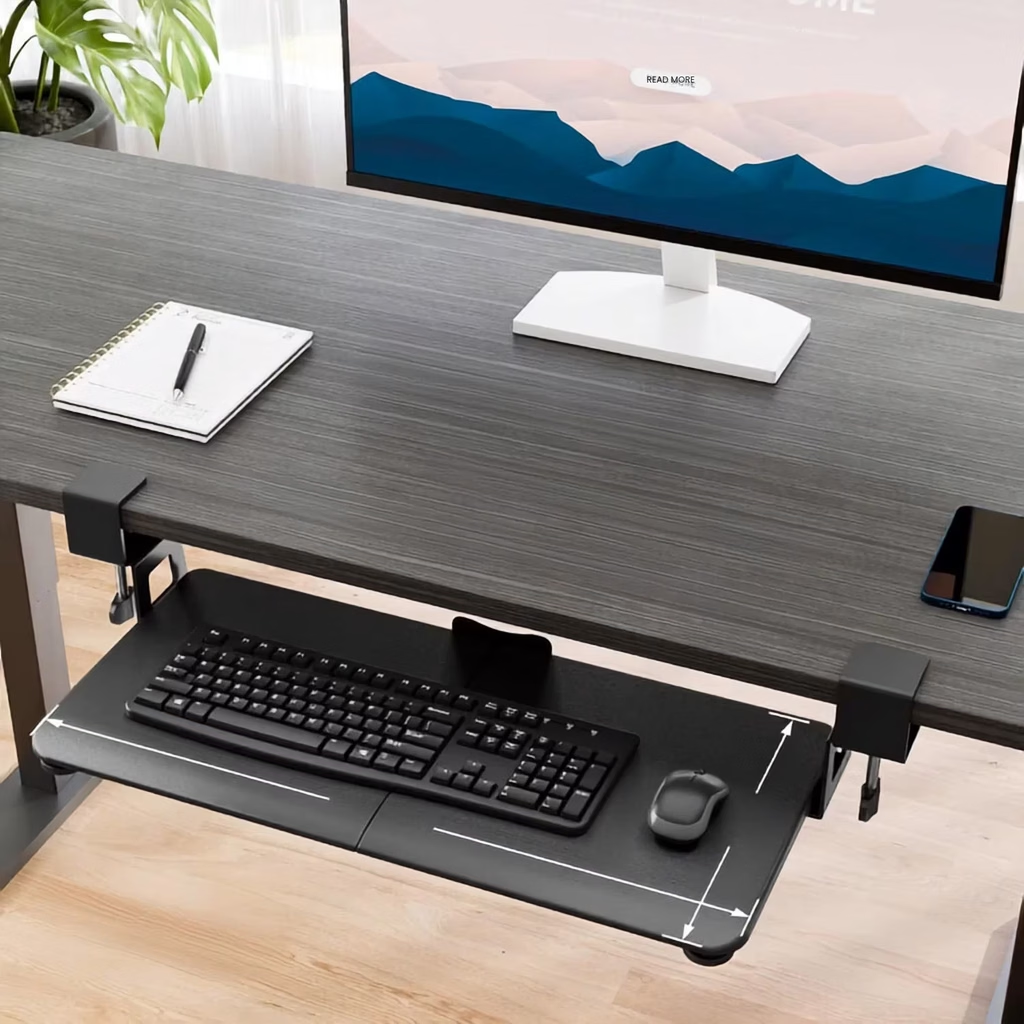
Installation is genuinely straightforward. No drilling required—the C-clamps secure directly to your desk, and protective pads prevent scratches. It supports up to 11 pounds, so your keyboard, mouse, and typical desk clutter stay stable and secure. The tray measures 25.6 x 11.8 inches, giving you plenty of room for standard keyboards and mice.
FEATURES & BENEFITS
Spacious 25.6 x 11.8 Inch Platform
The tray gives you plenty of room for a standard keyboard and mouse with space to spare. It’s large enough to be genuinely useful without feeling oversized or awkward under your desk.
Smooth Slide-Out and Push-In Action
Pull it out when you need it, slide it back when you don’t. The smooth mechanism makes this quick and easy—it’s so convenient you’ll actually use it regularly instead of it becoming another desktop decoration.
No-Drill C-Clamp Installation
Secure installation without permanently modifying your desk. The protective pads prevent scratches and hold firmly in place, so the tray stays stable during typing and mouse use.
Supports Better Posture and Comfort
Positioning your keyboard and mouse below desktop level naturally aligns your wrists and arms in a healthier position. This reduces strain during long work sessions and helps prevent the discomfort that comes with hunching over a desk.
Supports Up to 11 Pounds
The sturdy construction handles your keyboard, mouse, and typical desk items without wobbling or shifting. You get stability without the bulk.
BEST FOR
- Work-from-home professionals
- Small and compact desk spaces
- Office workers with limited surface area
- Gaming setups and streaming stations
- People with wrist or arm discomfort
- Anyone organizing a shared workspace
- Home office enthusiasts
- Clutter-prone desks that need organization
- Long-hour desk workers
- Students with limited study space
- Apartment dwellers with minimal room
- People concerned about desk ergonomics
COMMON USES
- Freeing up desk space for multiple monitors
- Creating room for paperwork and documents
- Setting up organized home office workstations
- Reducing clutter on compact desks
- Improving ergonomic positioning for remote work
- Gaming desk setup optimization
- Student study space organization
- Office productivity improvement
- Cable and cord management
- Protecting desk surface from keyboard wear
- Creating more professional workspace appearance
- Multi-workspace organization
Creating a Workspace That Works For You
A cluttered desk makes it hard to focus, and an uncomfortable keyboard position makes it harder to work. This under desk keyboard tray handles both problems at once—you get back your desktop real estate and a more comfortable way to work. It’s one of those practical additions that seems small until you use it regularly and realize how much better your workspace functions. Simple solutions that actually solve problems are rare in home office organization.
FAQ SECTION
Q: How does an under desk keyboard tray help with desk organization?
By moving your keyboard and mouse below the desktop, you instantly free up valuable surface space. Your desk can now accommodate monitors, documents, plants, or desk accessories instead of being crowded with input devices.
Q: Is this keyboard tray ergonomic?
Yes. Positioning your keyboard and mouse below desk level supports a more natural arm and wrist angle, reducing strain during long work sessions. This can help prevent discomfort and fatigue associated with hunched posture.
Q: Will this keyboard tray work with my desk?
The tray requires a flat, unobstructed desk underside and at least 31.3 inches of width and 11.8 inches of depth to function properly. It won’t work with curved edges, beveled edges, or desks with crossbars underneath. Check your desk compatibility before ordering.
Q: Do I need to drill holes to install this keyboard tray?
No. The C-clamp mounting system requires no drilling or permanent modifications to your desk. It secures firmly using clamps with protective pads to prevent scratches.
Q: What size keyboard and mouse does this tray accommodate?
The 25.6 x 11.8 inch platform fits standard keyboards and mice comfortably. If you use a vertical mouse, oversized keyboard, or split ergonomic keyboard, check the dimensions and height clearance before ordering.
Q: How much weight can this keyboard tray support?
The tray safely supports up to 11 pounds, which is plenty for a standard keyboard, mouse, and typical desk items without wobbling or shifting.
Q: Can I use this keyboard tray with a gaming setup?
Yes. Many gamers use this tray to free up space for multiple monitors and peripherals while maintaining easy access to keyboard and mouse. It’s ideal for organizing gaming stations with limited desk space.