Estimated reading time: 6 minutes
Home automation is all about making life more convenient, efficient, and even fun. Smart lighting and thermostats are among the easiest and most impactful ways to dip your toes into the world of connected living. For me, they’re the perfect starting point for building a smart home that enhances comfort and reduces energy costs.
In this guide, I’ll share practical tips for setting up automated lights and thermostats while helping you avoid common pitfalls. Whether you’re a beginner or looking to expand your setup, these insights will make the process smoother.
What You’ll Learn
- Why automated lights and temperature control are ideal starting points for smart homes.
- Tips for choosing and installing smart bulbs, switches, and thermostats.
- How to create schedules and automation routines for maximum efficiency.
- Common mistakes to avoid during installation.
- Long-term benefits of incorporating these technologies into your home.
Why Start with Smart Lights and Thermostats?
If you’re new to home automation, I always suggest beginning with lighting and climate control. Here’s why they’re such a great entry point:
Convenience: Imagine controlling lights or adjusting the temperature without getting out of bed.
Energy Efficiency: These systems reduce unnecessary power use, saving money in the long run.
Simplicity: Installing a smart bulb or thermostat is much easier than more complex devices like smart locks or security cameras.
Smart Lighting Setup Tips
Smart lighting is versatile and accessible, offering options to fit nearly every budget and technical skill level. Here are my top tips for getting started:
Choose the Right Bulbs for Your Needs
Start simple with Wi-Fi or Bluetooth-enabled bulbs compatible with your preferred voice assistant. Popular brands like Philips Hue and Govee offer a wide range of options for app or voice control.
Pro Tip: Check compatibility with your ecosystem. My first bulb worked only with HomeKit, which didn’t fit with the Alexa setup I later built.

Add Smart Switches for More Control
While smart bulbs are great, they can be inconvenient when someone uses a wall switch, cutting off their power. Adding smart switches solves this problem.
- Basic switches offer app and voice control.
- Advanced models include dimming features and scene settings.
For a mix of flexibility and ease, I like using dimmer switches in areas like the living room or bedroom.
Divide Your Home into Zones
Grouping lights into zones allows you to customize how each area functions:
- Work Zones: Bright lighting for offices or kitchens.
- Relaxation Zones: Dim, warm light for bedrooms or reading nooks.
- Outdoor Zones: Security or ambiance lighting for patios and driveways.
I use app controls to set each zone’s brightness and color temperature based on the time of day.
Automate Lighting with Schedules
Smart lighting systems let you program schedules to match your daily routine:
- Morning: Gradually brighten lights to mimic natural sunlight and wake you gently.
- Night: Dim lights in the evening or set them to turn off automatically at bedtime.
- Vacation Mode: Randomize light patterns while you’re away to deter potential intruders.
Enhance Functionality with Motion Sensors
Motion sensors take automation to the next level. I’ve installed them in hallways and bathrooms so lights only turn on when needed. They’re especially useful for kids’ rooms, eliminating the “forgot to turn the lights off” problem.
Smart Thermostat Setup Tips
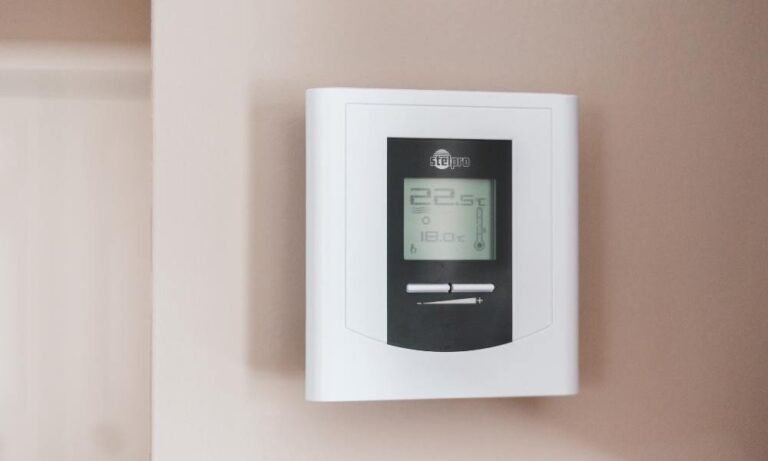
A smart thermostat can make your home more comfortable and save money by optimizing heating and cooling based on your schedule. Here’s how to get started:
Pick the Right Thermostat
When choosing a smart thermostat, consider compatibility with your HVAC system. Popular options like Nest and Ecobee offer energy-saving features and seamless integration with smart assistants.
Find the Perfect Spot
Where you place your thermostat matters. Install it in a central location, away from windows, vents, or direct sunlight to ensure accurate temperature readings.
Use Geofencing for Better Automation
Many thermostats include geofencing, which adjusts your home’s temperature based on your location. For example, mine automatically switches to an energy-saving mode when I leave and restores my preferred settings when I return.
Program Temperature Schedules
Maximize efficiency by tailoring settings to your daily routine:
- Morning: Warm things up before you wake.
- Daytime: Lower heating or cooling when no one’s home.
- Evening: Create a cozy environment for family time.
Monitor Energy Use with Apps
Smart thermostats often come with companion apps that track energy consumption. Reviewing these reports has helped me identify opportunities to save on utility bills.
Integrating Lighting and Thermostats
Combining these two systems creates a seamless smart home experience. Here are some integration tips:
Voice Assistants: Use Alexa, Google Assistant, or Siri to control lighting and climate settings with simple commands.
Scenes and Routines: Create presets like “Movie Night” to dim lights and lower the temperature simultaneously.
Energy Insights: Use data from both systems to optimize usage and reduce costs.
Common Mistakes to Avoid
While smart home setups are generally straightforward, here are some pitfalls I’ve seen people encounter:
Skipping Compatibility Checks: Ensure devices work within the same ecosystem before buying.
Overloading Wi-Fi: Too many connected devices can strain your network. Consider upgrading your router if needed.
Neglecting Security: Use strong passwords, enable two-factor authentication, and keep device firmware up-to-date.

Long-Term Benefits of Smart Lighting and Thermostats
Incorporating these systems isn’t just about convenience—it delivers lasting value:
- Lower Energy Costs: Optimized settings reduce electricity and heating bills.
- Improved Comfort: Tailored automation ensures your home adapts to your preferences.
- Scalability: These devices create a foundation for expanding into other smart technologies, such as security cameras or voice-controlled appliances.
Additional Tips for Smart Home Success
- Start Small: Begin with a few devices to avoid feeling overwhelmed.
- Use Guest Controls: Set up dedicated apps or instructions for visitors unfamiliar with smart systems.
- Experiment with Color: Many smart lights offer millions of hues—use them for mood lighting during parties or relaxation.
Conclusion
Smart lighting and thermostats are game changers for anyone looking to simplify home life while saving money and energy. Whether you’re a tech enthusiast or just getting started, these systems are easy to install, highly customizable, and scalable for future upgrades.
Start small, explore your options, and enjoy the convenience and efficiency that smart home technology brings. Once you’ve experienced the difference, you’ll wonder how you ever lived without it!